
Marketing website, 2026
FriendshipHub website: earning trust before the download
The website for a social calling app where people talk to verified creators. It has to convince a stranger that the people are real, the app is safe and the prices are fair, in their own language, before they install anything.
- Role
- Product designer, design and front end
- Platform
- Website, responsive
- Year
- 2026
- Scope
- Story, design system, motion, 20 languages, legal and safety pages
- 20Languages: English and 19 Indian languages
- 19Supporting pages: safety, legal, creators and company
- 9Homepage sections, one story
Step 1
Research and define
Find out what a visitor doubts about an app that connects strangers by video, then decide what the page must prove.
Understand the problem
FriendshipHub lets people call, chat with and watch verified creators, and lets creators earn from it. An app like that carries instant doubts. Are these people real? Is it safe? What will it cost me? Is it for me, or only for people who speak English?
The website is the first answer to all of those, and for most visitors it is the only one they read before deciding to download. It also has to speak to a second audience: people who want to become creators.
Problem statement
Who: people deciding whether to download a calling app, and people deciding whether to earn on it, many of them reading in a language other than English.
Pain: social apps that connect strangers have a reputation for bots, scams and unsafe calls, and a visitor will not give an unfamiliar app a phone number without a reason to trust it.
Why fix it: trust has to be built on the page, in the first few seconds, or the download never happens.
Design principles
- Show the product, not a promise. A real phone mockup with a verified creator, a price per minute and a live call is on screen from the first second.
- Say the safety things plainly. Everyone is verified, you can block in one tap, and your number stays private. They are features, not footnotes.
- Two audiences, one clear split. People who want to talk and people who want to earn each get their own card and their own next step.
- Speak the visitor's language. Language is a first-class control, not a footer link.
- Feel premium, stay fast. A dark glass look that loads quickly, even on mid-range phones.
Step 2
Ideate and structure
Turn the doubts into an order of sections, and give every serious question a page of its own.
Mapping the site
The homepage answers doubts in the order a visitor raises them: what is this, what can I do, why this one, is it for me, do others like it, is it big enough to trust. Anything that needs more room, such as safety, payouts or the rules, links out to its own page.
Structure decisions
- Safety is in the navigation. Features, FAQ, Safety and Become a Creator are the four top-level links, so the two things people worry about most are one click away.
- The creator path is separate, not hidden. A pink-accent link in the nav and a dedicated card on the page, so creators do not have to wade through listener content.
- Long answers get their own pages. Child safety, community standards, payouts and refunds are real pages people can read and share, not accordion text.
- Numbers come late. The stats strip and reviews sit after the features, once the visitor knows what is being counted.
Step 3
Design and build
Give the structure a look that feels premium and safe, then build it so it is fast and works in any language.
First impression
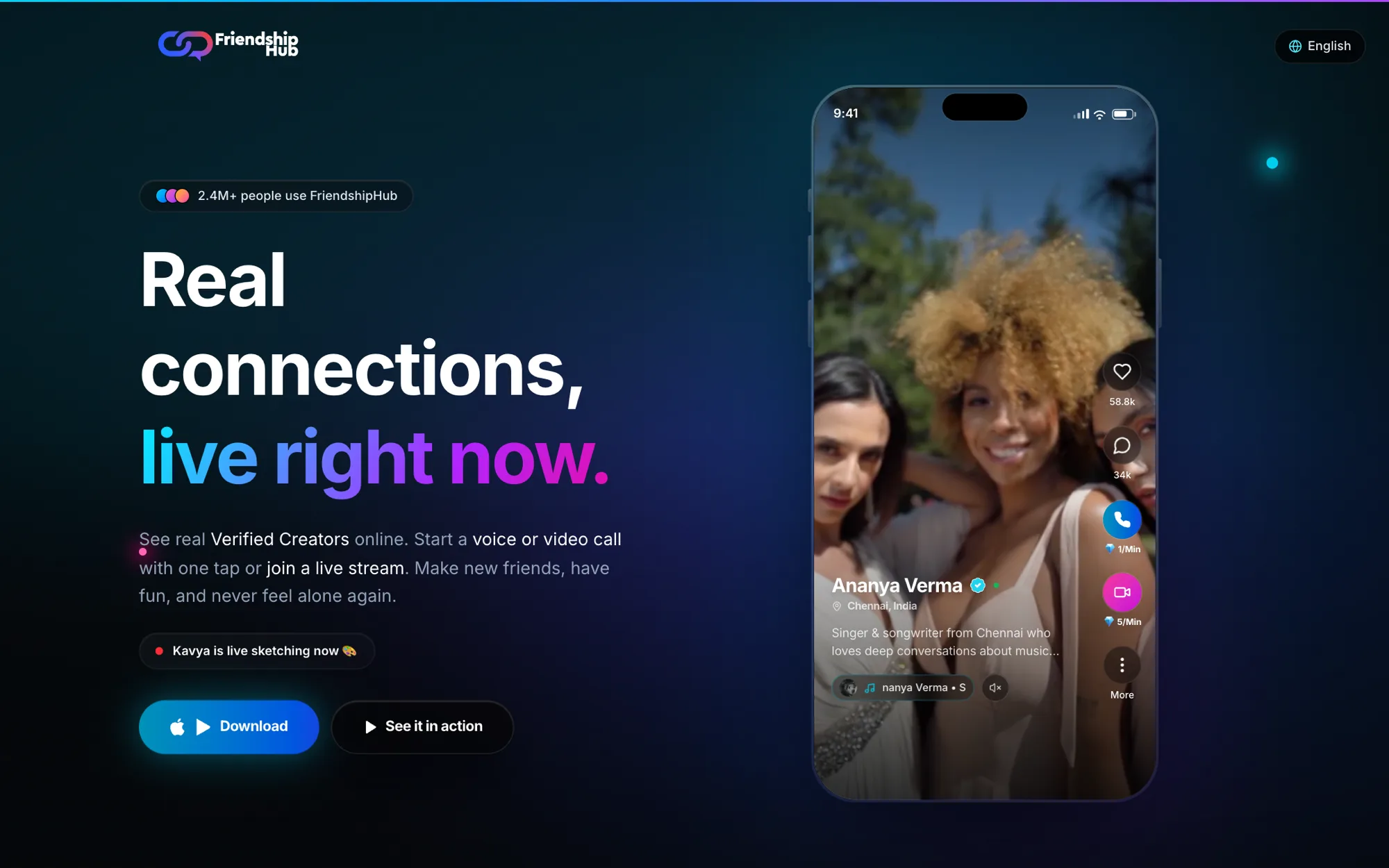
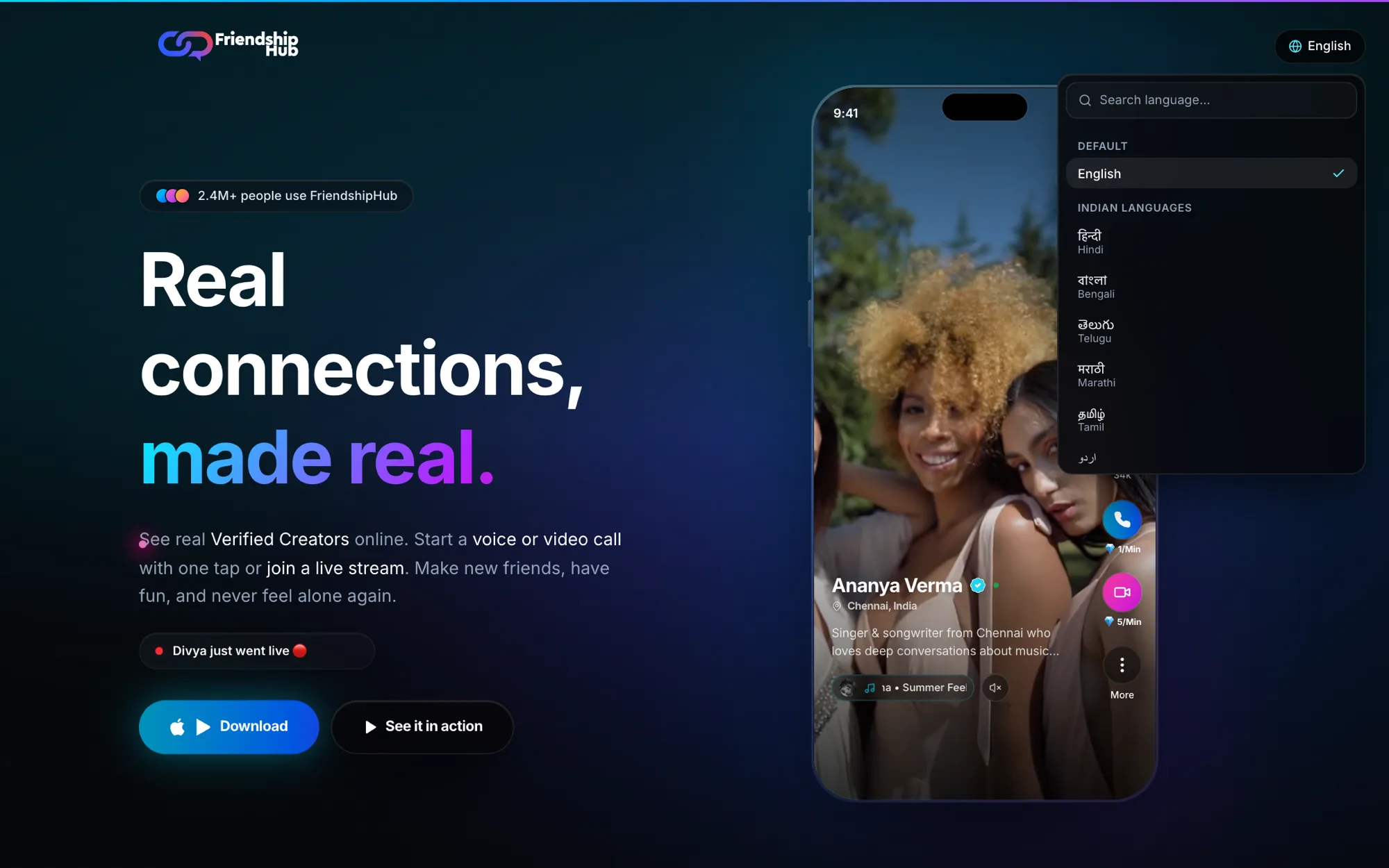
The hero leads with the promise, "Real connections, made real", with a rotating second line, a small badge showing the app's scale and a live ticker such as "Divya just went live". Beside it, a phone plays a verified creator's profile with real price-per-minute call buttons. Download is the one solid button; "See it in action" opens a demo.
Features that explain themselves
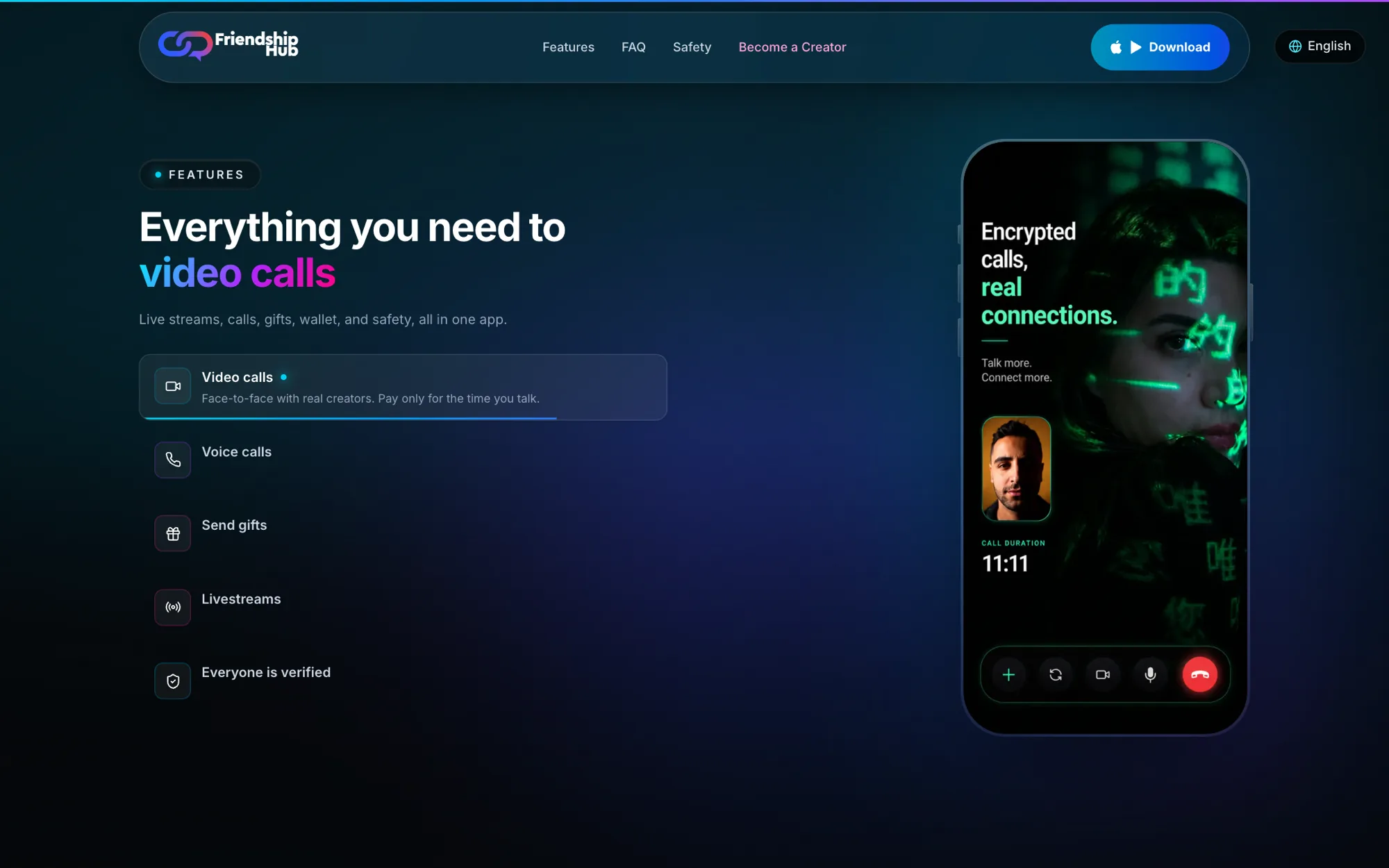
Instead of a grid of icons, the features are a list that advances on its own, with a progress line under the active item. Each item changes the phone beside it, so a visitor sees video calls, then voice, gifts, livestreams and verification in the real interface. Because it advances by itself, nobody has to click to learn what the app does.
Reasons to stay
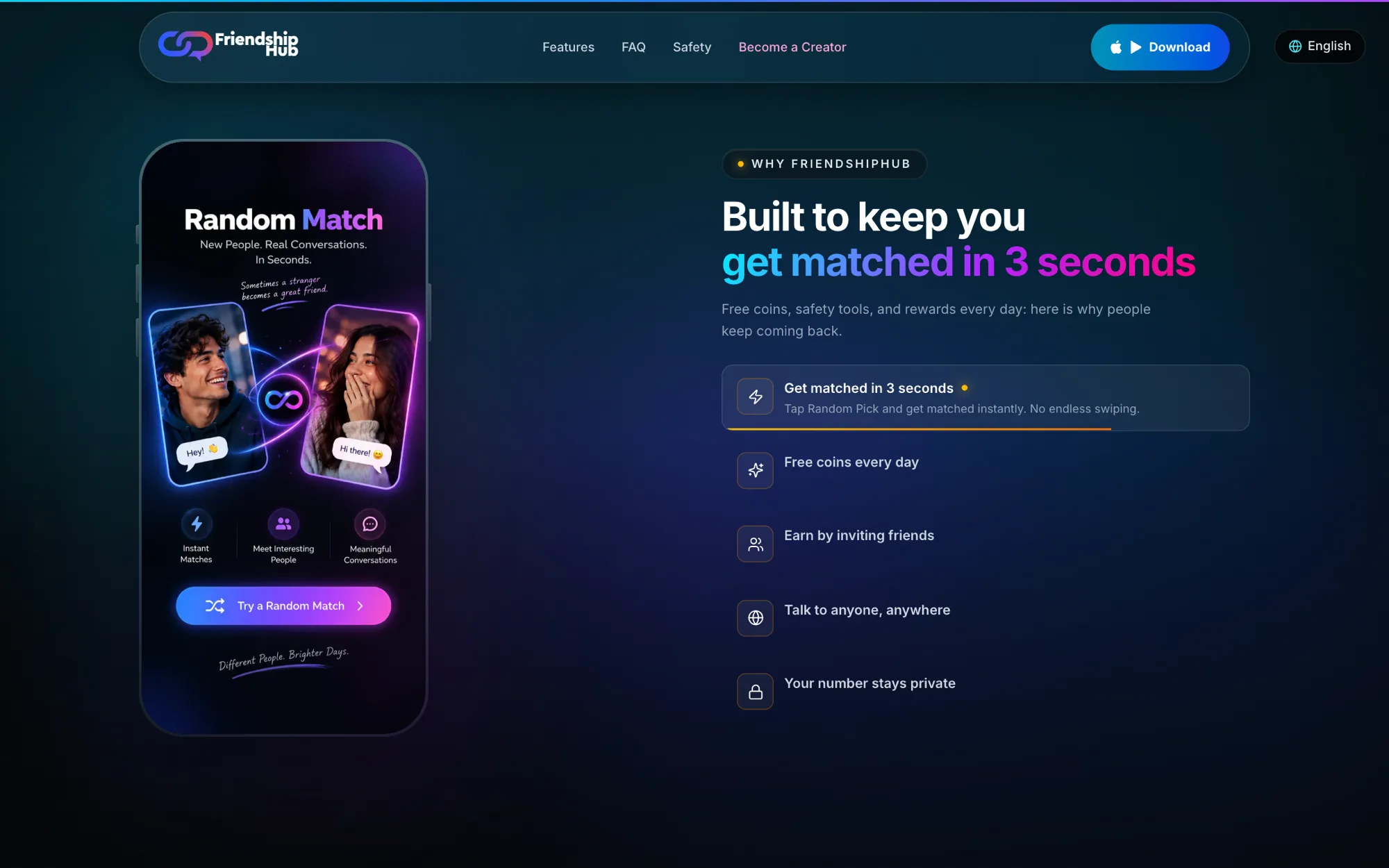
The benefits section turns the app's habits into five plain promises: matched in 3 seconds, free coins every day, earn by inviting friends, talk to anyone anywhere, and your number stays private. The same pattern repeats with the phone on the other side, so the page keeps a rhythm as you scroll.
One platform, two audiences
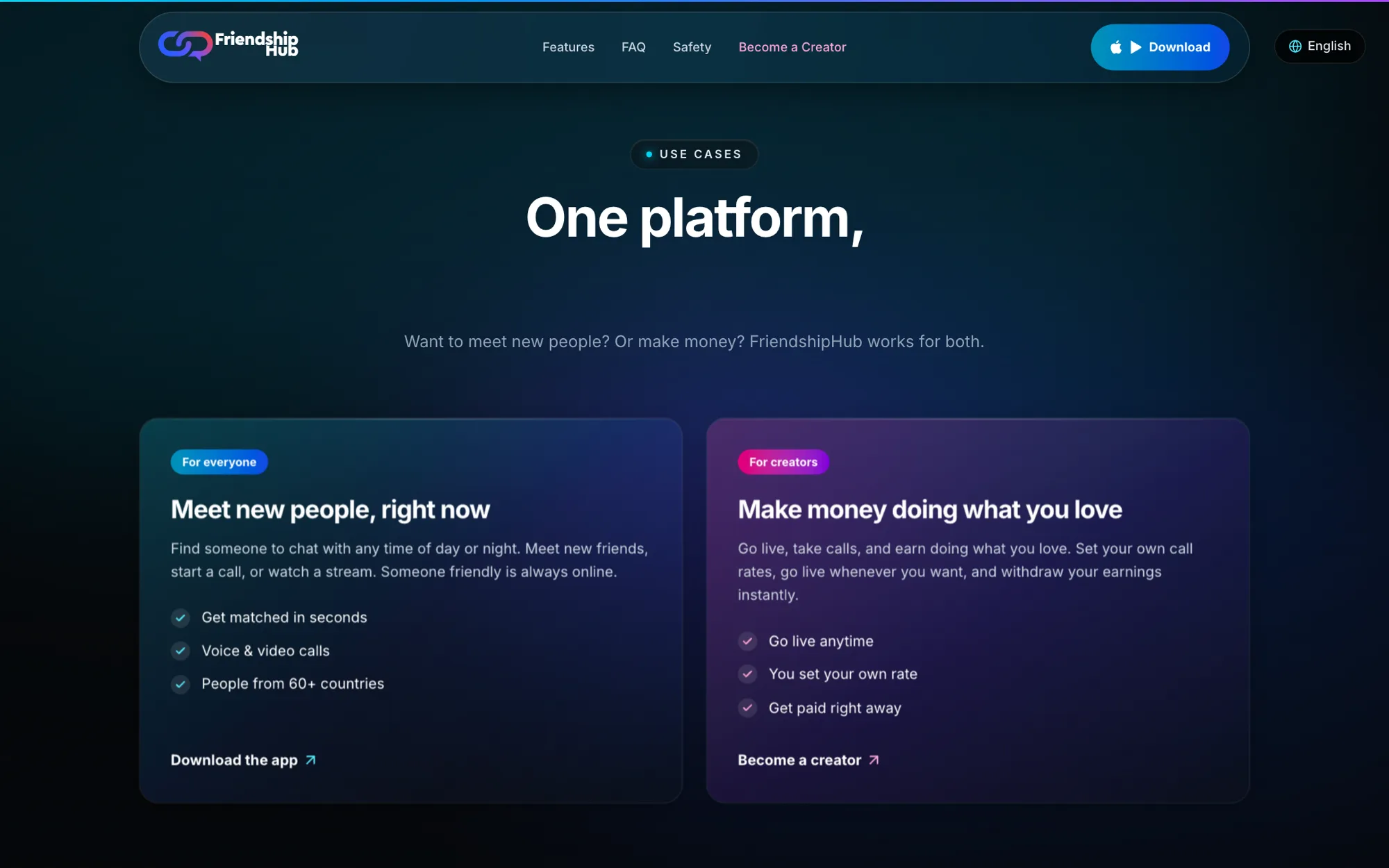
The use-case cards split the page in two. The cyan card is for everyone who wants to meet people right now. The pink card is for creators and says what matters to them: go live anytime, set your own rate, get paid right away. Each ends in its own action: download the app, or become a creator.
Proof, then the download
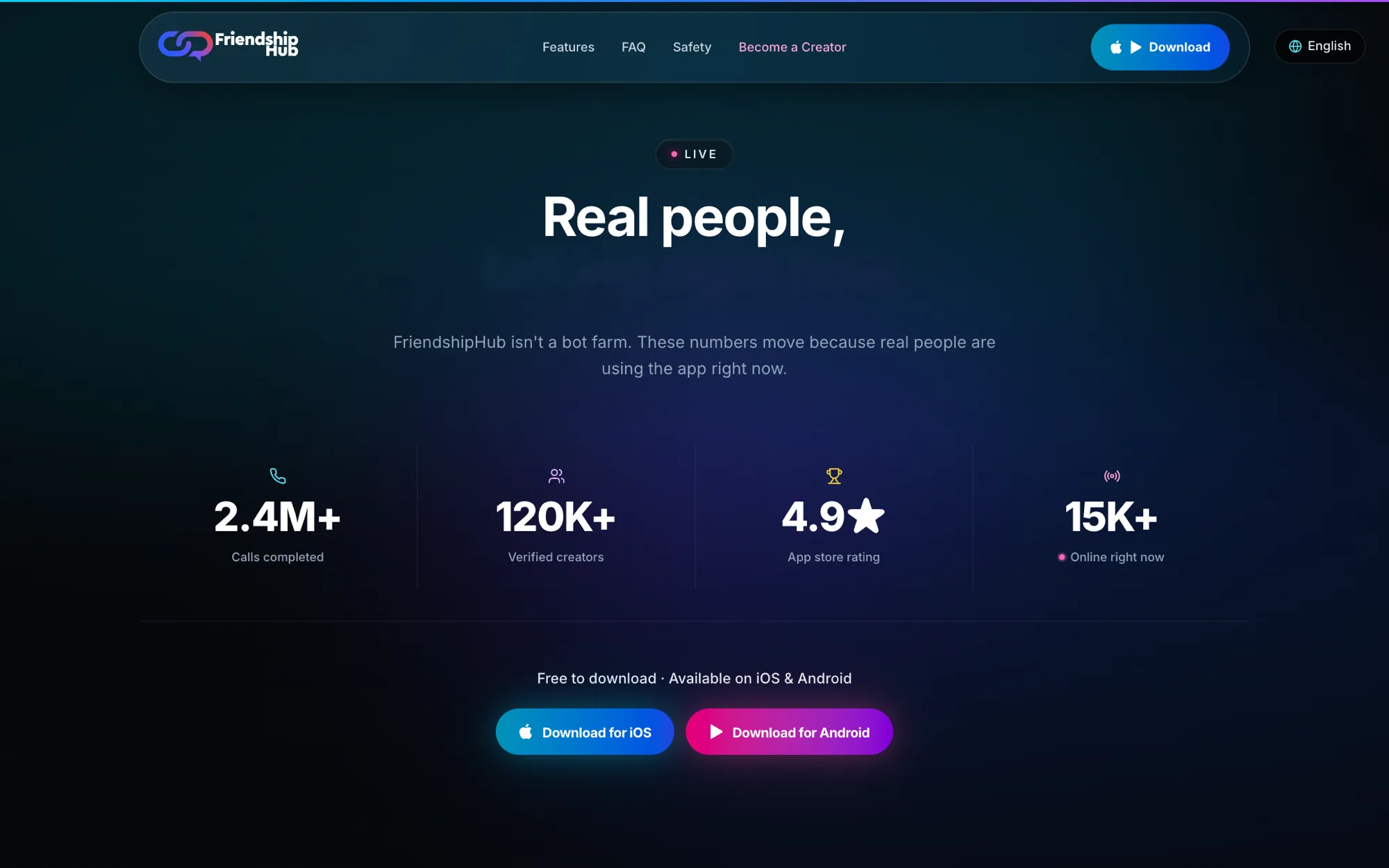
Reviews with a reviewer's name and date come first, then a numbers strip: calls completed, verified creators, rating and people online now. The copy is blunt about it: "FriendshipHub isn't a bot farm." The page then closes on a free-to-download line with separate iOS and Android buttons.
Built for Indian languages
A language control sits in the top corner of every page. It opens a searchable list with English first, then Indian languages shown in their own script, so a visitor can find theirs without reading English. The site ships with translations for English and 19 Indian languages, and the setup marks Urdu, Kashmiri and Sindhi as right-to-left.
A design system called Cyber-Glass
The look is documented as a small design system, not decided screen by screen. Glass cards with a fixed 32px radius tilt gently toward the pointer on a spring, with a reflection that moves as they tilt. Cyan, pink, purple and gold accents mark meaning, such as pink for creators and gold for VIP. The motion goal was smooth and professional, not fast and game-like.
Building the cards as one reusable component kept every section consistent, and the tokens, button, card and input styles live in a shared design-system folder.
On a phone
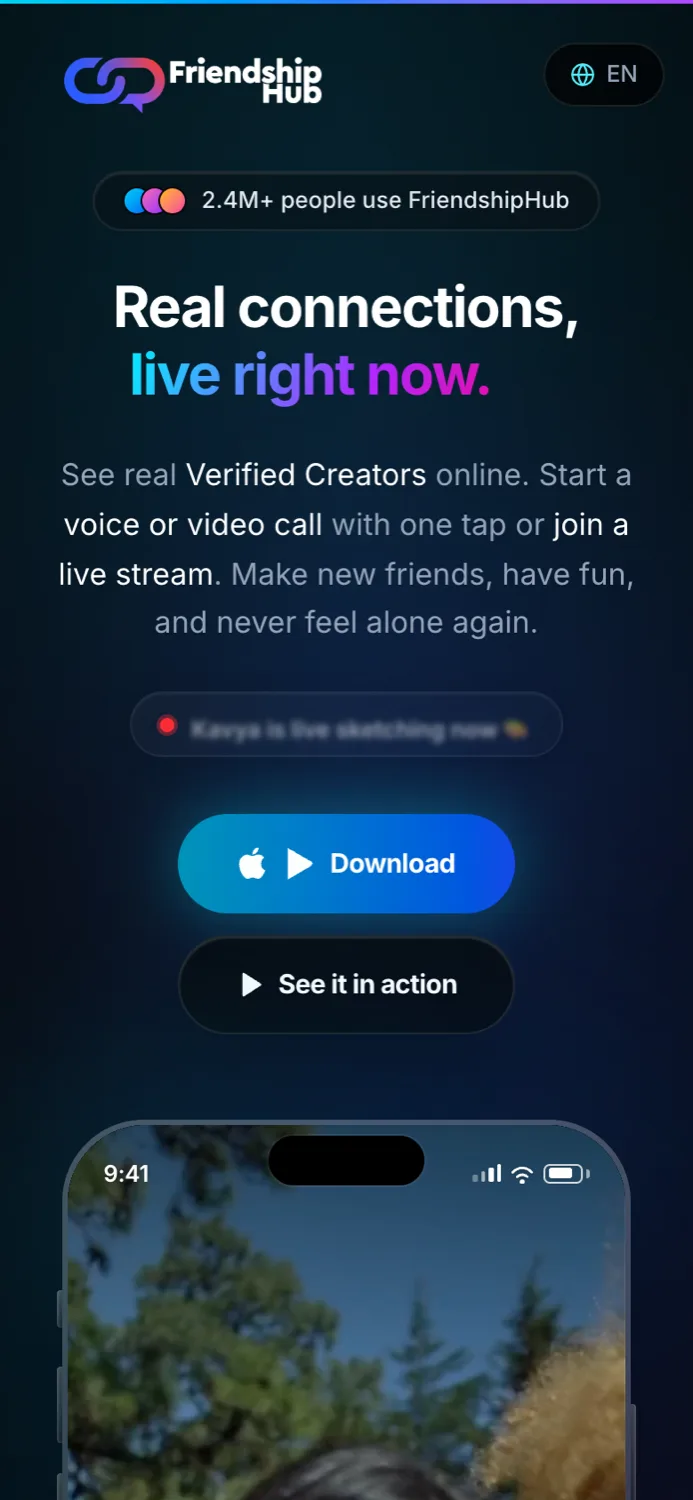
Most visitors arrive on a phone, so the hero stacks into one column with the buttons full width and the phone mockup directly below.
Fast, findable and honest about speed
- Images: a script produces 720 and 1080 pixel WebP versions of each feature image, so phones do not download desktop-size art.
- Loading: vendor code is split into chunks, fonts and the image host are preconnected, and a branded loader hides any slow chunk.
- Caching: fingerprinted assets are cached as immutable, so scrolling back to a section does not re-fetch its media.
- Search: the homepage ships structured data that describes it as a mobile app, with its price and rating.
How it was built
A React 18 and TypeScript single-page site built with Vite, styled with Tailwind CSS 4 and animated with Framer Motion. React Router handles the 19 supporting pages, and react-i18next handles the translations. It started as a Figma Make file and moved into code, which is where the design system, language support and performance work happened.